Skip to content

Built for contractors and the trades

Run your jobs, quotes and billing in one place.

Premier Job Builder keeps your customers, job sites, quotes, work orders, schedules and invoices together, so the office and the crew work from the same information.

  • Plumbing
  • Electrical
  • Garage doors
  • Construction
  • HVAC
  • Roofing
  • Other trades
Plumbing contractor at work
Electrical contractor at work
Garage door contractor at work
Construction contractor at work
HVAC contractor at work
Roofing contractor at work
  • Jobs and phasesFrom first quote to final walkthrough
  • One scheduleOffice and crew on the same calendar
  • Field appJobs and time clock on the phone
  • BillingInvoices, draws and payments

What it does

From the first quote to the final payment

Job details scattered across texts and notebooks, estimates that go missing, invoices nobody followed up on. Premier Job Builder keeps it all in one system. These are real screens from the app, filled with a made-up demo company.

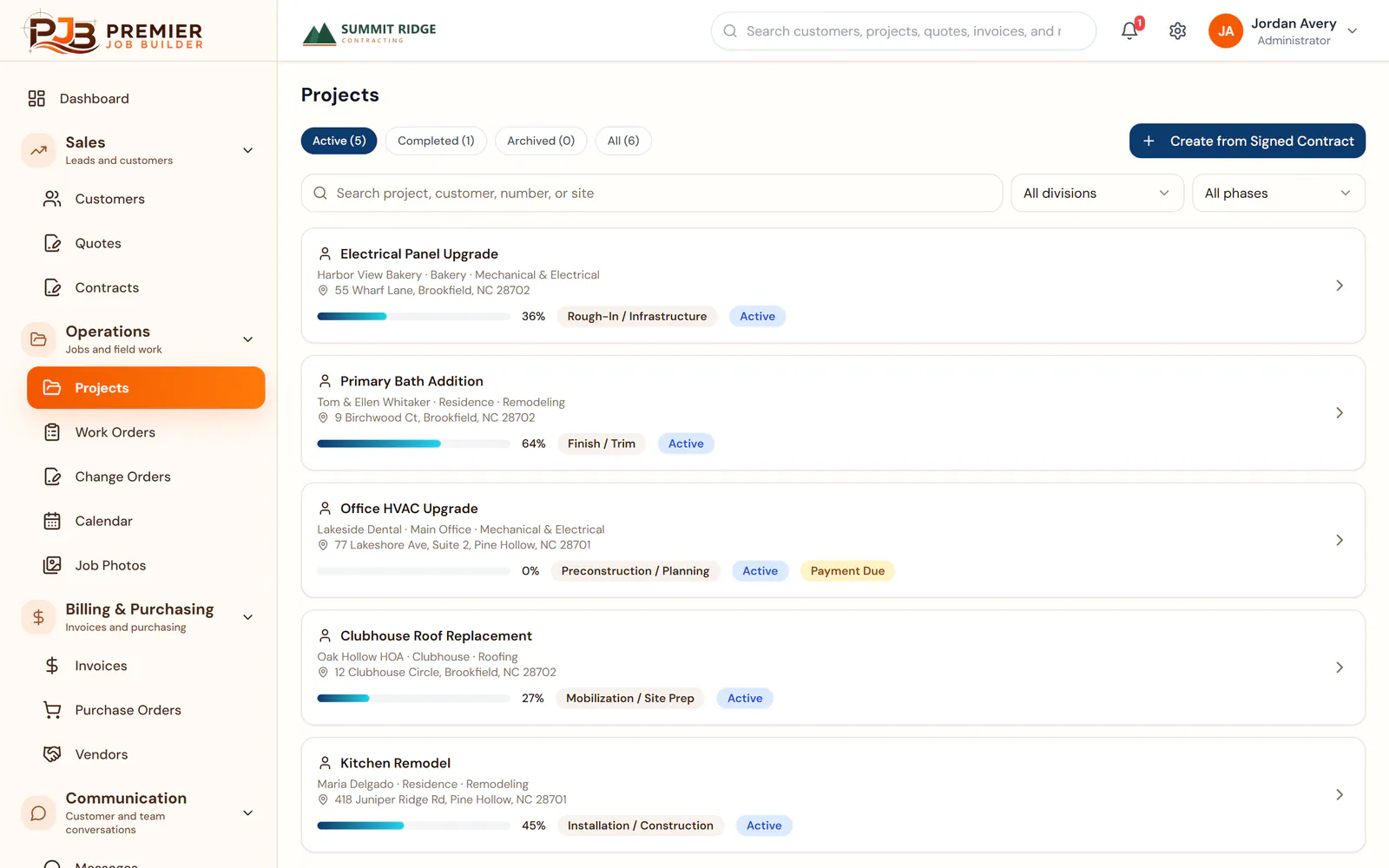
Projects

See every job and where it stands.

Each project shows the customer, the job site, the current phase and how far along it is. Jobs with a payment due stand out, so nothing slips.

  • Phases from planning to closeout
  • Permit numbers and payment draws on the job
  • Filter by division or phase
Projects screen in Premier Job Builder showing a demo company’s active jobs, each with a progress bar, current phase and payment status.

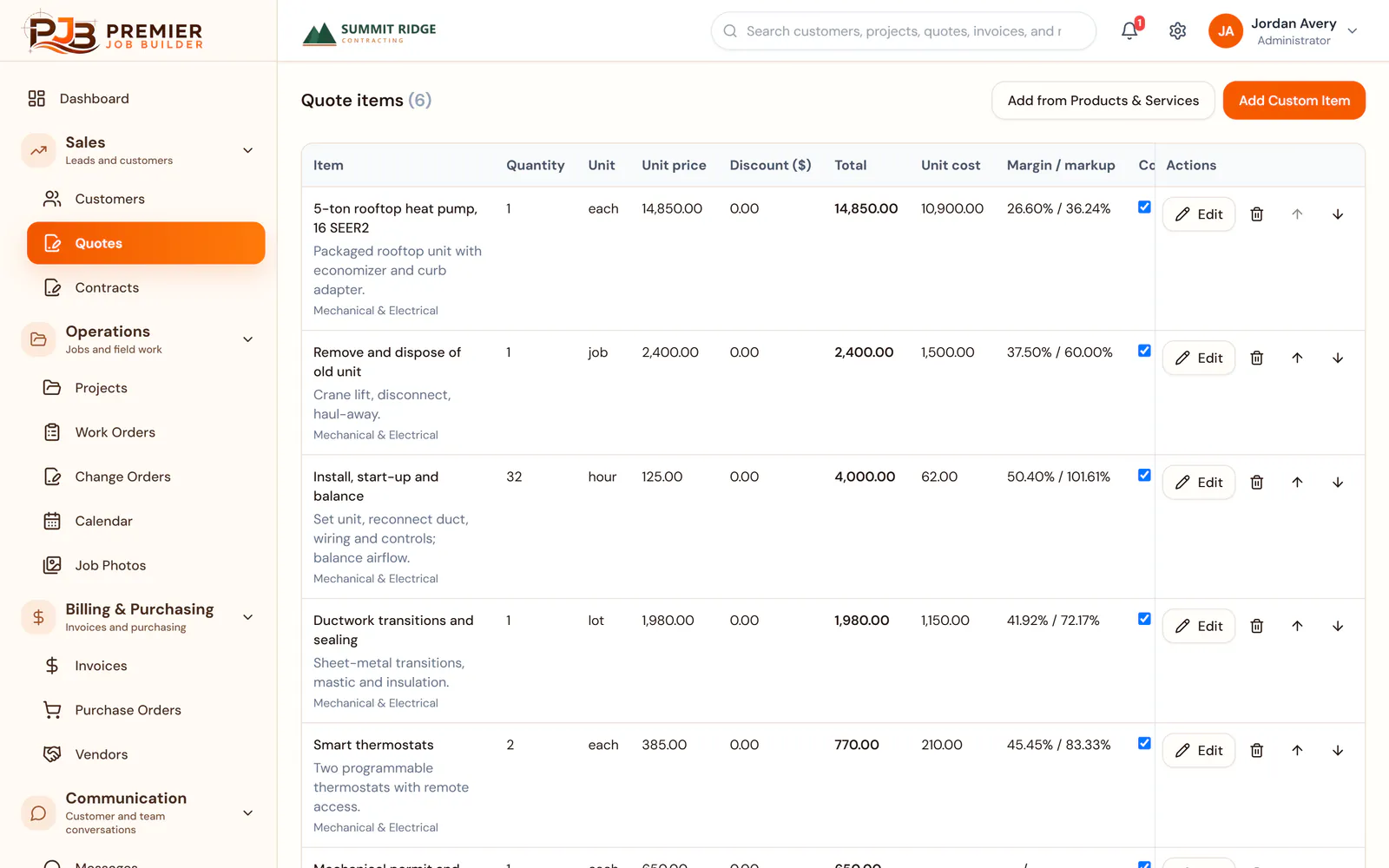
Quotes

Build quotes from your own prices.

Pick items from your products and services list or add your own. Then send the customer a proposal link they can accept online.

  • Up to three options on one quote
  • Cost and margin on every line, hidden from the customer
  • Sales tax applied to taxable items
Quote builder in Premier Job Builder showing line items for a demo HVAC job with quantity, price, cost and margin on each line.

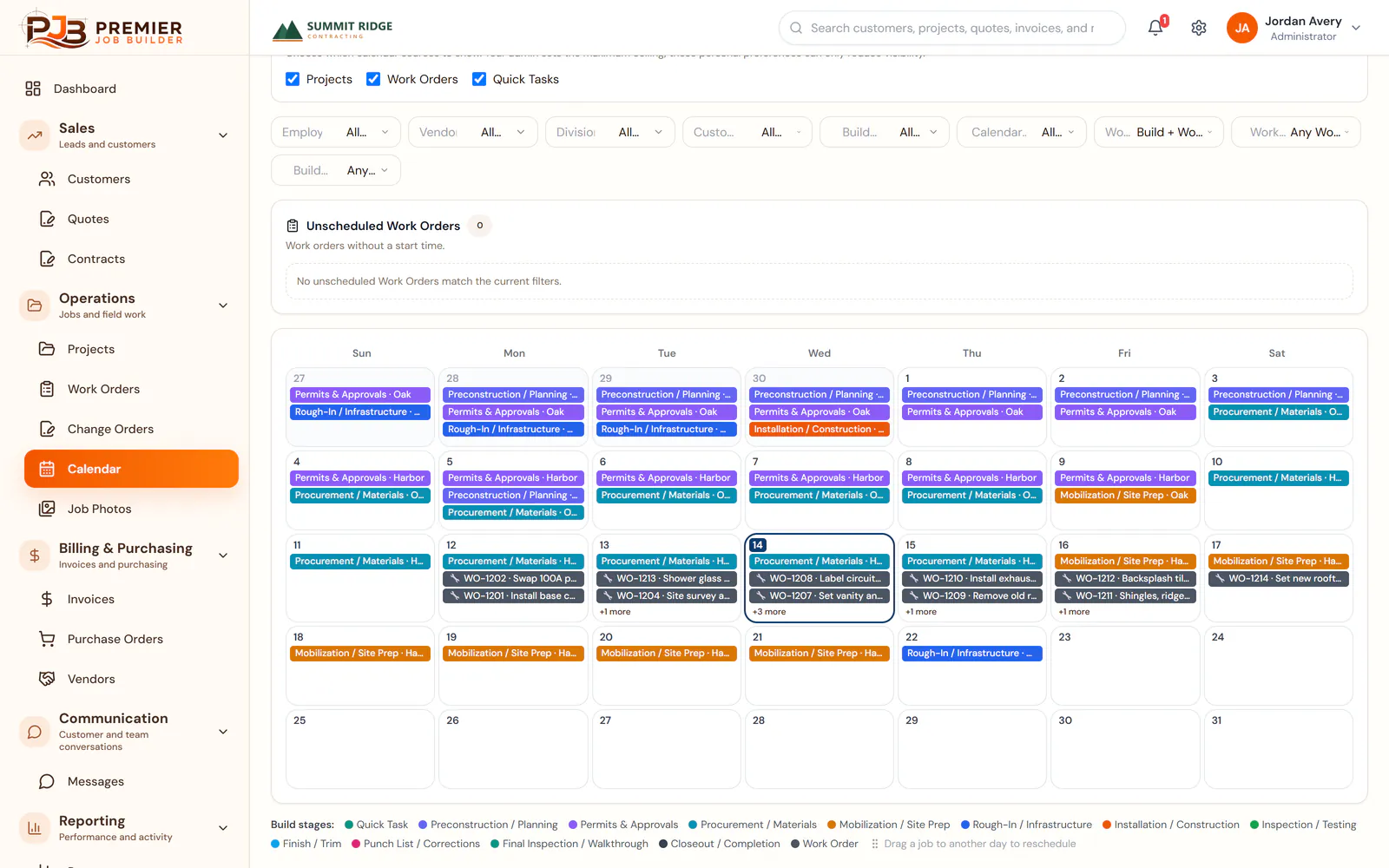
Schedule

Put the whole crew on one calendar.

Project phases, work orders and quick tasks share one calendar. Filter by employee, division or customer, and drag a job to another day to reschedule it.

  • Day, week, month and year views
  • Quick tasks and reminders for the office
  • Tasks can sync to Google Calendar™
Month calendar in Premier Job Builder with color-coded project phases and work orders for a demo company.

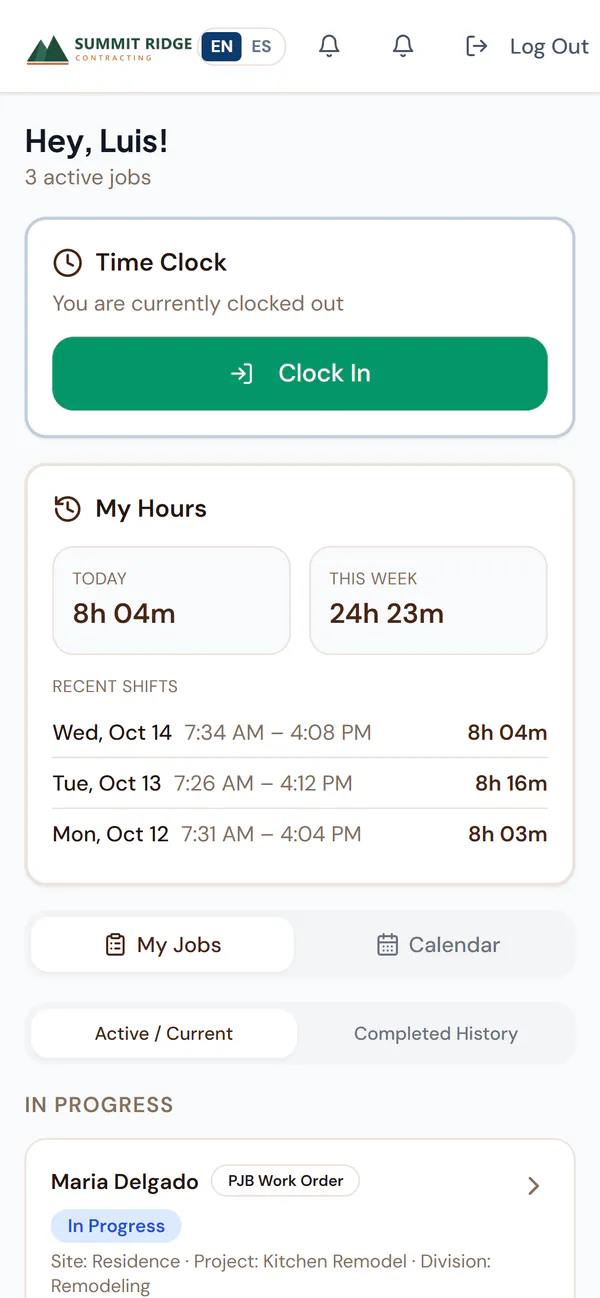
Field app

Your crew gets the day’s work on their phone.

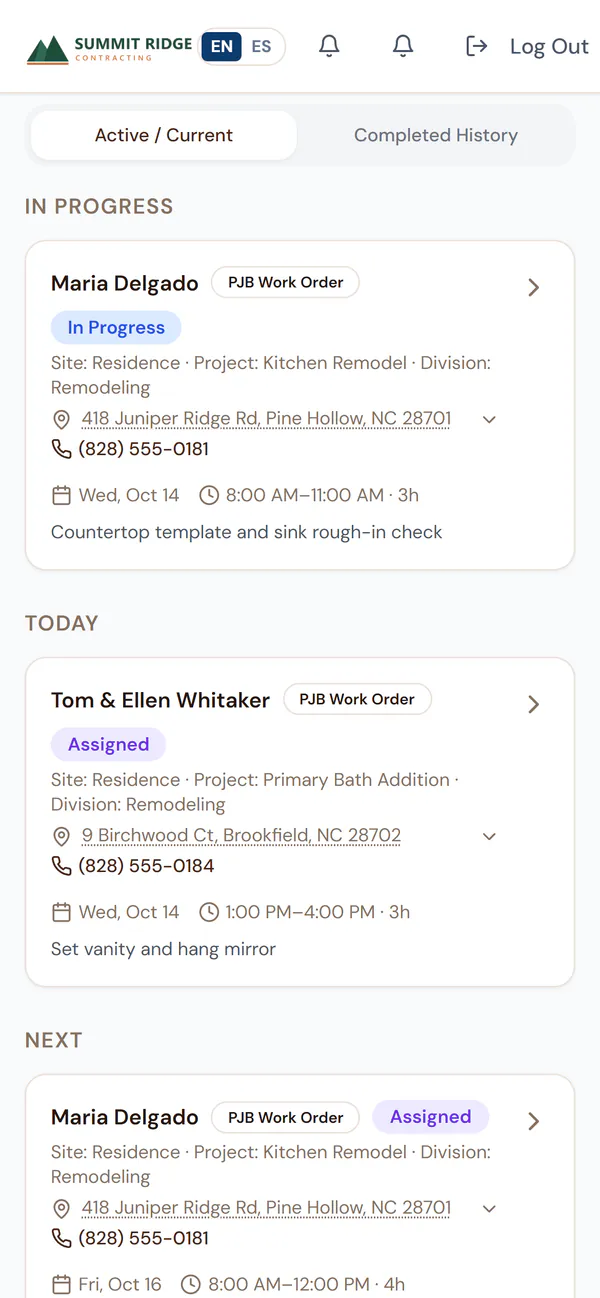
Each worker sees their jobs with the address, a tap-to-call number and what to do. They clock in and out, add before and after photos, and mark the work complete.

  • Time clock with daily and weekly hours
  • Directions in Google Maps or Apple Maps
  • Works in English or Spanish
Field app on a phone showing a demo crew member’s time clock and hours for today and this week.
Field app on a phone listing a demo crew member’s jobs in progress and scheduled for today, with addresses and phone numbers.

Invoices

Bill from the job and see what you are owed.

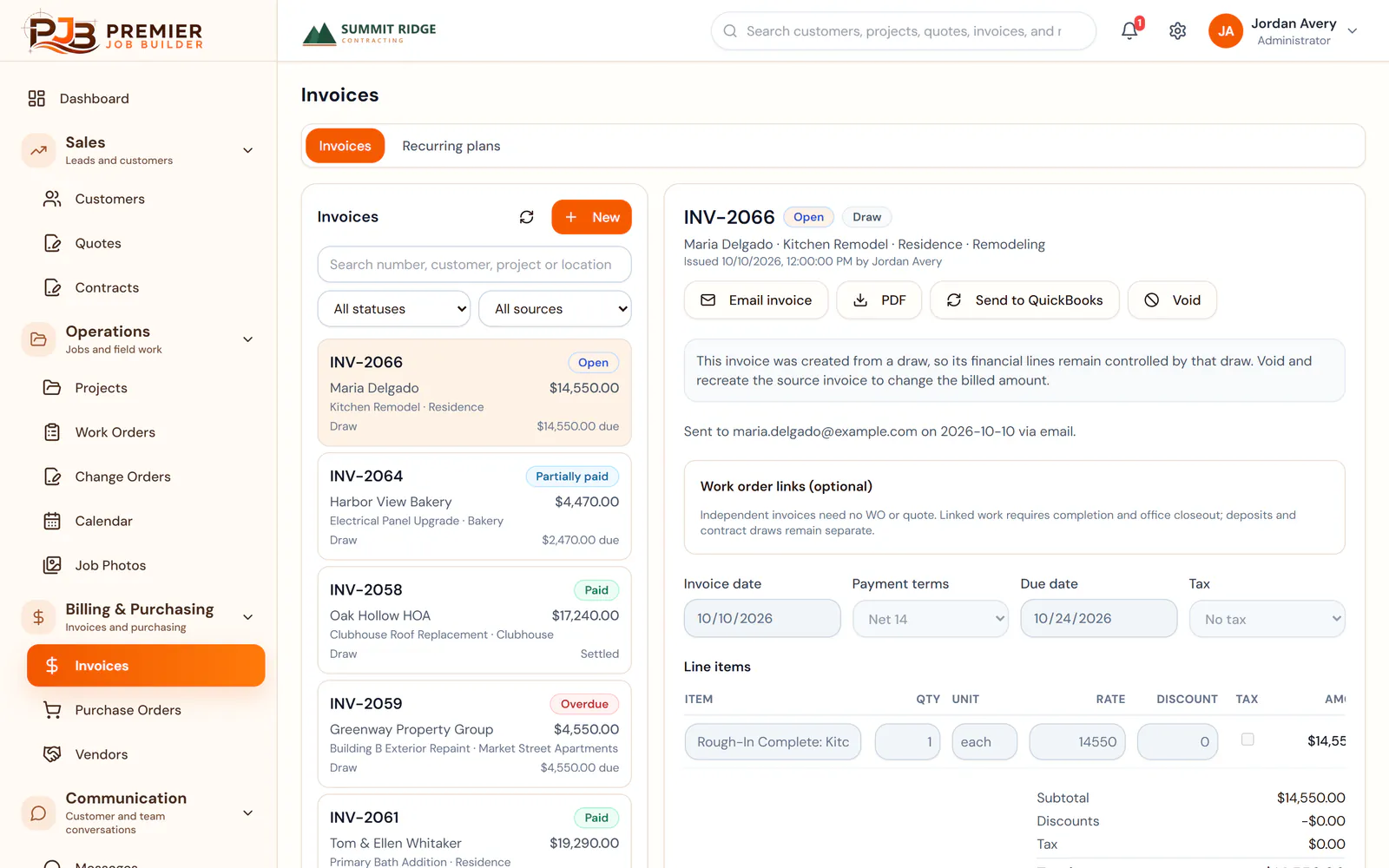
Create invoices from a project draw, a quote or from scratch. Email them or download a PDF. Open, partly paid and overdue invoices are easy to spot.

  • Payments recorded against each invoice
  • Recurring invoice plans
  • Send invoices to QuickBooks
Invoices screen in Premier Job Builder showing a list of demo invoices marked open, partly paid, paid and overdue, with one invoice opened.

Integrations

Works with tools you already use

  • QuickBooks logo

    QuickBooks

    Connect QuickBooks for customers, vendors and invoices.

  • Google Calendar logo

    Google Calendar

    Sync scheduled tasks with Google Calendar.

  • Google Drive logo

    Google Drive™

    Back up project documents to a Google Drive folder.

  • Electronic signatures

    Send contracts and change orders out for electronic signature.

Google Calendar and Google Drive are trademarks of Google LLC. QuickBooks is a trademark of Intuit Inc. Their names and logos show which products Premier Job Builder connects with and do not mean they endorse it.

Early access

Premier Job Builder is in early access

We set up each company with our team, so there is no sign-up page. Start with a short demo: we will walk you through the software and talk about how your company works.

  1. Tell us about your companyFill in the short form. It goes straight to our team.
  2. See it with your own workWe walk you through the software and talk about how your company runs.
  3. Get set up with usWe set up your company with you. There is no sign-up page to figure out.

Questions? support@premierjobbuilder.com

Book a demo

What are you looking for?

Premier Job Builder is software for contracting companies.